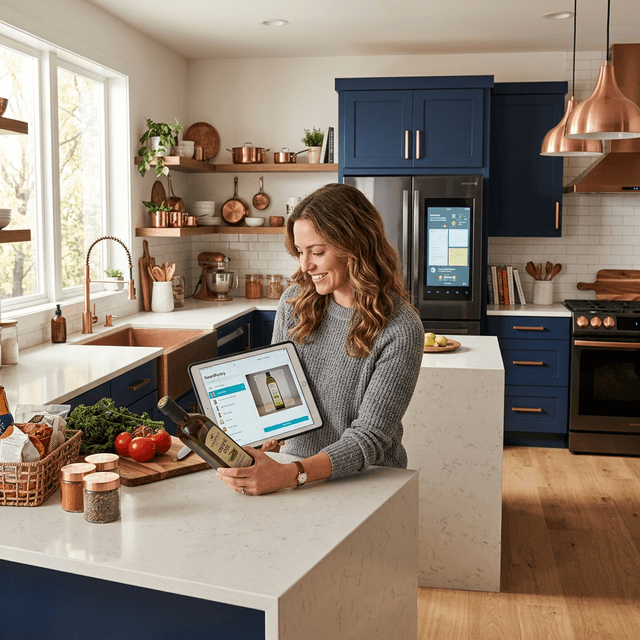
TL;DR: AI home scanning uses your phone camera, OCR, and computer vision to catalog appliances, electronics, and major systems by photographing their serial plates and labels. For a typical 2-3 bedroom home with 50-100 trackable assets, a complete scan takes about 30 minutes. The AI reliably catches make, model, and serial number on roughly 75-85% of branded appliances with readable labels. The other 15-25% — worn labels, custom-built equipment, hidden serial plates — still need a quick manual correction. Dates, receipts, and warranty specifics are almost always added by hand afterward. Done well, the result is an insurance-ready, warranty-aware inventory you actually maintain.
Table of Contents
- What AI Home Scanning Actually Does (and Doesn't Do)
- What You'll Need Before You Start
- The 30-Minute Home Scanning Walkthrough
- How the AI Identifies an Asset
- What the AI Can't Handle (and How to Fix It)
- After the Scan: Building Out the Details
- Privacy & Security: Where Your Photos Go
- Room-by-Room Asset Priority
- FAQ: AI Home Scanning
What AI Home Scanning Actually Does (and Doesn't Do)
AI home scanning uses computer vision and OCR to identify household assets from smartphone photos — pulling make, model, and serial numbers off appliance labels and cross-referencing them against product databases. It works well on branded appliances with readable serial plates, reaching roughly 85-90% OCR accuracy in good lighting. It does not catalog your entire home from a single panorama.
A well-designed AI scanner handles three jobs automatically: recognizing the product category visually, extracting text from the serial plate with OCR, and cross-referencing the model against known products to pre-fill specs and typical warranty durations. What it does not do reliably: guess installation dates, read receipts out of thin air, or identify custom-built equipment that isn't in any database.
This tutorial assumes the honest version — mostly correct data on most items in one pass, plus a few minutes fixing stragglers. That's still far faster than typing every field manually, which is why the home asset inventory problem gets ignored. The Insurance Information Institute reports 59% of homeowners have never built any kind of inventory; the reason is friction. If a tool promises to scan your whole house in five minutes with zero review, it's selling the demo. For the broader picture on where AI helps versus where marketing overreaches, see AI in property management in 2026.
What You'll Need Before You Start
Before you start, assemble four things: a smartphone with a working camera and flashlight, the ConductorIQ app (or a similar AI asset scanner), about 30 minutes of uninterrupted time, and a willingness to pull appliances forward a few inches to reach their serial plates.
A 30-minute budget is realistic for a 2-3 bedroom home with 50-100 trackable assets — the range the Insurance Information Institute and our own platform data both put the average American home at. Bigger homes should plan on 45-60 minutes. If you only have 10 minutes, jump to the priority section and do the kitchen plus mechanical room first — they account for half the total asset value.
A few preparations pay off: charge your phone to 50%, wear clothes you don't mind crouching in, make sure you can reach behind the fridge. A second person holding the flashlight is a genuine time saver. You don't have to finish in one sitting — the system saves as you go.
ConductorIQ tracks this automatically — point your phone at an appliance and its serial plate, and the AI fills in make, model, serial number, typical warranty window, and recall status in seconds. See how the AI Asset Scanner works.
The 30-Minute Home Scanning Walkthrough
This is a literal walkthrough for a typical 2-3 bedroom home, based on what we see from new ConductorIQ users. Moving faster than this usually means skipping photos; moving slower means overthinking. Capture the plate and move on.
Kitchen (8 minutes)
Start here. Kitchens are the highest-dollar room and have the clearest serial plates. Open the app, tap "Scan new asset," and walk a tight loop clockwise.
- Refrigerator. Open the door. The serial plate is almost always on the left or right inside wall near the top, or under the top shelf. Shine the flashlight, photograph the label, wait for the AI to read make and model.
- Range/oven. Open the oven door. The plate is usually on the left or bottom of the opening. Photograph the cooktop separately so the AI can identify gas vs. induction vs. electric.
- Dishwasher. Open the door. The plate is on the top edge of the inner door or the side of the tub.
- Microwave. Built-ins usually have the label on the side or behind a front vent. Countertop units are on the back or underside.
- Garbage disposal. Under the sink. Label on the side of the unit.
- Countertop appliances over $200. Stand mixer, espresso machine, air fryer. Quick photo of each plus any accessible label.
Budget 45-60 seconds per major appliance, 20-30 per small one. Expect one or two where you type the model number manually because the plate is worn or hidden — that's normal.
Laundry (3 minutes)
Washer and dryer plates are usually on the rim of the door opening (front-loaders), behind a rear panel (top-loaders), or on the back of the unit. Open the doors, shine the light, photograph. Do the same for the water softener and any standalone dehumidifier.
HVAC / Mechanical (5 minutes)
This room has your most expensive single systems and the longest warranties.
- Indoor HVAC unit (air handler or furnace). Plate on a side panel or inside the service door. Indoor and outdoor units have separate model numbers — photograph both.
- Outdoor condenser. Plate on the side facing the house or under the service flap.
- Water heater. Plate on the side. Tankless units: next to the digital display.
- Water softener / whole-home filter.
- Electrical panel. Photograph the cover and the sticker listing manufacturer, model, and amperage.
- Sump pump, boiler, radon mitigation (where applicable).
Older HVAC labels can be genuinely rough — faded, oil-splattered, or behind a stuck service plate. If the AI can't read it, snap a clear photo and type the model manually. It's a 20-second workaround.
Living Spaces (5 minutes)
Visual recognition pulls ahead of OCR here — most furniture has no accessible serial plate. Take a wide shot of each room, then close-ups of high-value items.
- TV. Serial plate on the back. Pull it forward an inch and photograph.
- Sound bar, receiver, gaming console, computer, printer. Plates on the back or underside.
- Furniture over $500. Photograph the piece plus any manufacturer tag. The AI records category and description even without a serial number.
Bathrooms (2 minutes)
Photograph vanities (general records), high-end fixtures (heated towel rails, bidets, electronic shower systems), and personal care appliances over $150. Most items here are low-serial-plate — you're building a visual record.
Bedrooms (3 minutes)
Mattresses have a law tag with model and manufacture date — photograph it. Record high-value furniture, TVs, closet safes, and valuables needing separate appraisal. A full wardrobe exceeds $5,000 in replacement value, but a few wide closet shots are enough for insurance.
Exterior & Garage (4 minutes)
- Garage door opener. Plate on the motor unit — look up.
- Grill. Side or under the lid.
- Lawn mower, snow blower, leaf blower. Plates on the motor housing.
- Power tools over $200. Miter saw, table saw, pressure washer, air compressor.
- Bicycles and e-bikes. Frame serial number on the bottom bracket underneath.
Total: 30 minutes for a typical home. No single appliance should take over 90 seconds. If one item is eating five minutes, photograph it, type the model manually, and move on — clean up later.
How the AI Identifies an Asset
When you photograph an appliance, four things happen: visual recognition of the category, OCR on visible text, cross-reference against a product database, and confidence scoring on the result.
1. Visual recognition. Computer vision identifies shape and features — "top-mount refrigerator," "front-loading washer," "gas range." It works even without a visible label and is how the app knows to prompt for a closer shot.
2. Serial plate OCR. The camera reads the sticker with make, model, serial, and manufacture date. OCR accuracy on appliance serial plates in good lighting is roughly 85-90% — comparable to general OCR benchmarks on printed industrial labels. In poor lighting or at oblique angles, accuracy drops to 60-70%. The flashlight matters more than any other piece of this process.
3. Product model cross-reference. With a candidate model number, the AI queries a product database (manufacturer sites, retailer listings, internal records) to resolve product identity, typical warranty window, expected lifespan, and known recalls.
4. Confidence scoring. Good AI systems don't silently guess. They score each extracted field and flag anything below a threshold. If OCR reads "RF29A907ISR" but the database has "RF29A9071SR," the system asks you to confirm — that's the exact OCR error (a 1 read as capital I) you want surfaced, not hidden.
Confidence scoring is the most important honesty signal in AI asset scanning. A scanner that fills in fields without flagging uncertainty ships you garbage data you only discover during an insurance claim. "Please confirm" badges aren't the AI failing — they're the AI working correctly.
What the AI Can't Handle (and How to Fix It)
No AI scanner handles everything. About 15-25% of assets in a typical home scan need manual correction — consistent with general OCR research. Here's where that happens and the quickest fix for each.
| Failure Mode | Why It Fails | Manual Fix (30-60 seconds) |
|---|---|---|
| Worn or faded serial plate | OCR cannot read low-contrast text | Type the model number manually; use the manufacturer's model list to confirm |
| Hidden or inaccessible plate | Camera cannot see it | Skip the OCR step, enter the category and estimated model, update later |
| Custom-built or boutique equipment | Not in any product database | Enter make/model as free text; no warranty auto-fill expected |
| Handwritten installation dates | OCR handles printed text, not handwriting | Type the date yourself from the sticker |
| Oblique angle or motion blur | OCR needs a clean, flat image | Retake the photo with the camera flat against the plate |
| Glare on glossy labels | Reflection obscures text | Tilt the camera 10-15 degrees off perpendicular, use flashlight from the side |
| Multiple serial plates on one unit | AI may grab the wrong one | Photograph each separately and label which is which |
| Generic or private-label brands | Ambiguous match in the database | Confirm the retailer and category manually |
The practical rule: if the AI flags a confidence warning, trust it and spend the 30 seconds to correct the field. Cross-check silently-accepted model numbers against the actual plate before relying on them. The failure mode that hurts homeowners most is a scanner that quietly records the wrong model and fills in warranty data for a different product.
Some items don't belong in AI scanning at all. Art, jewelry, and collectibles need appraisals, not OCR. One-of-a-kind furniture needs a photo and description. The tool saves time on the 70+ items where it genuinely saves time — it isn't the single answer for everything.
After the Scan: Building Out the Details
The scan gives you an 80%-complete inventory. The remaining 20% — purchase prices, receipts, installation dates, extended warranties, maintenance history — has to come from you. None of it needs to happen during the 30-minute pass; it can accumulate over a week or two.
Purchase information. Forward confirmation emails to your inventory system. ConductorIQ's email scanning extracts date, amount, retailer, and payment method automatically. For older items, estimates are fine — "approximately $2,400, spring 2023" is more defensible in a claim than a blank field.
Warranty dates. Most major appliances carry a 1-year manufacturer warranty. Your credit card may double it automatically. Home warranty plans are a third layer. The AI pre-populates manufacturer dates; extended warranty details usually need manual entry. Our guide to tracking home warranties across all three layers walks through what to capture.
Receipts and manuals. Digitize once. PDF the receipt, PDF (or link to) the manual, attach both. When something breaks three years from now, you'll have what a warranty claim needs in one place.
Installation dates. HVAC compressors, water heaters, and panels often have install dates handwritten by the technician. Photograph the handwriting, transcribe manually — OCR won't do this well, but it's a two-second task.
A completed profile turns an inventory from a defensive insurance document into an active tool that catches a warranty expiration at month 11 instead of month 13.
Privacy & Security: Where Your Photos Go
When you photograph your house, you're creating a detailed map of what you own, where it is, and what it's worth. That data needs to be treated seriously.
What to look for in any AI scanning tool:
- End-to-end encryption. Photos encrypted in transit (TLS) and at rest (AES-256). ConductorIQ uses both by default.
- Organization-scoped storage. Photos belong to your account only. Not shared, not used to train public models, not sold.
- Clear retention policy. You can delete photos at any time. Deleted means deleted, not soft-archived.
- Opt-in model improvement. If scanned photos train the AI, that should be explicit and opt-in — not buried in terms of service.
- GPS metadata stripped by default. Location tagging should be opt-in, not automatic.
Avoid tools that route photos through a third-party AI API outside the scanning platform's control. Some "AI scanner" apps are thin wrappers around public image-recognition services — your home photos pass through someone else's servers with their retention rules. Check whose infrastructure is doing the processing. And keep your inventory export behind a login — a serial number plus your address is valuable for warranty fraud.
Room-by-Room Asset Priority
If you only have 10 minutes, scan the kitchen and mechanical room. If you have 20, add laundry and living room. Here is the priority matrix and the split between what the AI typically catches and what you'll need to enter by hand.
| Room | Priority Assets to Scan | What AI Typically Catches | What Needs Manual Entry |
|---|---|---|---|
| Kitchen | Refrigerator, range/oven, dishwasher, microwave, disposal, major countertop appliances | Make, model, serial, category, typical warranty duration | Purchase price, exact purchase date, extended warranty, receipts |
| Laundry | Washer, dryer, water softener, dehumidifier | Make, model, serial, category | Installation date, plumber/installer info, extended warranty |
| HVAC / Mechanical | Furnace/air handler, outdoor condenser, water heater, electrical panel, sump pump | Make, model, capacity/BTU, expected lifespan | Installation date (often handwritten), service history, maintenance logs |
| Living Spaces | TV, sound system, computer, high-value furniture | TV/electronics make and model via plate; visual category for furniture | Furniture brand and receipts, purchase price, manufacturer tags |
| Bathrooms | Heated towel rails, bidets, premium shower systems, high-end personal care | Product category for visible items | Models for in-wall fixtures, installer info, bathroom remodel receipts |
| Bedrooms | Mattresses (law tag), bed frames, dressers over $500, TVs | Mattress model and manufacture date, TV specs | Mattress purchase receipt, furniture brand, appraisals for any antiques |
| Exterior & Garage | Garage door opener, mower, snow blower, grill, major power tools, bicycles | Motor unit plates, grill manufacturer | Purchase date for seasonal items, battery replacement history |
| Outbuildings / Shed | Generators, pressure washers, ATVs, kayaks, workshop tools | Motor unit plates | Registration info, seasonal service records |
10-minute version: kitchen + mechanical. Those two rooms account for $25,000-$45,000 in asset value and the longest-warranty items in the house.
20-minute version: add laundry + living spaces. Next highest-dollar cluster — TVs, computers, major furniture, laundry equipment.
30-minute version: add bathrooms + bedrooms + garage. Completeness matters for insurance even when per-item dollar values are lower.
A built-out inventory feeds your Home Readiness Score, where asset documentation is one of six weighted dimensions. Homes with complete inventories score 15-20 points higher than homes with partial ones — a number that matters when selling, refinancing, or disputing a claim.
According to the Insurance Information Institute and Consumer Reports, roughly 30% of insurance claims are delayed or reduced because homeowners cannot adequately document what they lost. A 30-minute scan closes that gap. For the case on why this matters before anything goes wrong, read our pillar on why every homeowner needs an asset inventory — this tutorial is the "how," that post is the "why."
Once the inventory exists, replacement stops being a research project — the same principle we covered in our silverware reorder story. The value of a scanned item isn't just insurance, it's being able to reorder the exact same thing without starting over.
FAQ: AI Home Scanning
How accurate is AI home scanning really?
For branded appliances with clear, well-lit serial plates, OCR accuracy runs around 85-90% on the model and serial number fields — consistent with general OCR benchmarks on printed industrial labels. Visual product category recognition is closer to 95%. Overall, expect 75-85% of items to scan cleanly on the first pass, with the other 15-25% needing a 30-60 second manual correction. Confidence scoring separates honest tools from overclaiming ones.
Can AI scan items without a visible serial number?
Partially. Visual recognition identifies the product category (French-door refrigerator, front-loading washer, ceiling fan) even without a visible plate and will prompt you to photograph the label separately. For items with no meaningful serial plate — furniture, art, custom equipment — the AI records category and description, but you'll enter make and model manually or leave it as free text. The scanner is a time-saver, not a magic identifier.
Do I need to scan everything at once?
No, and trying can turn a 30-minute task into a four-hour slog. The system saves as you go. A realistic pattern: kitchen and mechanical tonight (15 minutes), living areas and laundry over the weekend (10 minutes), bedrooms and exterior the following weekend (10 minutes). The inventory becomes more useful with every batch, and insurance coverage applies even to a partial inventory as long as what's there is accurate.
What happens to my photos after scanning?
In a reputable AI scanning tool, photos are encrypted in transit and at rest, stored only in your account, and never used to train public models without opt-in consent. ConductorIQ encrypts photos with AES-256, scopes access to your organization only, strips GPS metadata by default, and lets you delete any photo permanently at any time. Always check whose infrastructure is processing your photos — some apps route through third-party APIs with different retention rules.
Ready to catalog your home the honest way — not the marketing way? ConductorIQ's AI Asset Scanner handles the 80% automatically, flags what needs your attention, and keeps everything private and encrypted. A realistic 30 minutes today saves hours during an insurance claim, warranty dispute, or major repair.