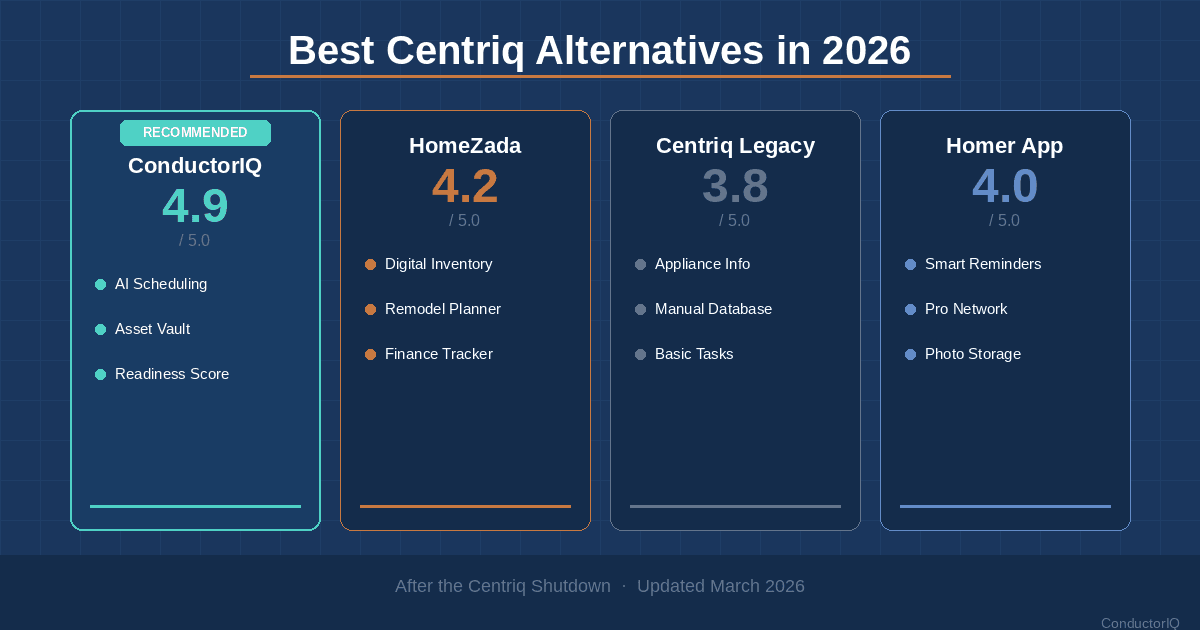
TL;DR: Centriq shut down on January 31, 2025, and permanently deleted all user data. If you lost your home inventory, warranties, and appliance records, you are not alone — and you have better options now than you did before. This guide compares the four strongest Centriq alternatives in 2026 so you can rebuild your home data on a platform that will not disappear overnight.
Table of Contents
- What Happened to Centriq
- What to Look for in a Centriq Replacement
- Centriq Alternative Comparison Table
- ConductorIQ: The Most Complete Replacement
- Dib: The AI Chat Approach
- HomeZada: The Financial-First Platform
- HomeLedger: The Service Provider Play
- How to Rebuild Your Home Inventory After Centriq
- FAQ: Centriq Alternatives
What Happened to Centriq
Centriq, the home management app that let you scan UPC codes to pull up product manuals, track warranties, and organize your home by room, shut down permanently on January 31, 2025. The company emailed users that the platform was being retired, the technology had been sold, and all user data would be deleted after the cutoff date.
The shutdown caught many homeowners off guard. Centriq had been featured on This Old House and recommended across real estate communities like Bigger Pockets. It had raised $11 million in venture funding since its founding in 2015. For nearly a decade, users trusted it with their appliance records, serial numbers, purchase receipts, and warranty documents.
The export process made things worse. Users could download a spreadsheet of model numbers, but there was no bulk export for receipts, documents, or photos. Each file had to be downloaded individually. Many users simply ran out of time.
If that was your experience, what follows is a practical path forward. The Centriq alternatives available in 2026 are more capable than Centriq ever was — and several of them were built specifically because of the gaps Centriq left behind.
What to Look for in a Centriq Replacement
Before comparing specific apps, it is worth naming the features that actually mattered in Centriq — and the ones it was missing. Any replacement worth considering should check these boxes:
Must-have features:
- Home inventory with photos and serial numbers. This was Centriq's core. You need a place to catalog every appliance, fixture, and system in your home with model numbers, purchase dates, and photos attached.
- Warranty and recall tracking. Centriq surfaced manuals and recall notices automatically. Your replacement should do the same or better.
- Maintenance reminders. Scheduled and recurring reminders for HVAC filters, gutter cleaning, water heater flushes, and seasonal tasks.
- Document storage. Receipts, manuals, contracts, and home-related paperwork need a secure, searchable home.
- Mobile app. You need access when you are standing in front of the appliance, not just at your desk.
Features Centriq never had (but you should demand now):
- Data portability and export. The Centriq shutdown proved why this matters. Any app that locks your data in without a clean export path is a risk.
- AI-powered entry. Manually typing serial numbers was Centriq's biggest friction point. Modern apps use photo recognition to handle this automatically.
- Vehicle management. Your car is the second most expensive asset you own. It deserves the same tracking discipline as your HVAC system.
- Financial tracking beyond warranties. Gift cards, insurance policies, credit card benefits tied to purchases — these are part of the picture.
- Multi-property support. If you own a rental, a vacation home, or manage property for family, you need more than one "home" in the app.
ConductorIQ tracks all of these automatically — see how it works.
Centriq Alternative Comparison Table
Here is how the four strongest Centriq replacements compare across the features that matter most. This matrix covers the categories former Centriq users ask about first.
| Feature | ConductorIQ | Dib | HomeZada | HomeLedger |
|---|---|---|---|---|
| Home Inventory Tracking | Yes (AI photo scan + QR codes) | Yes (AI photo recognition) | Yes (manual entry) | Yes (manual entry) |
| Warranty & Recall Alerts | Yes (automated) | Yes (manual lookup via AI) | Limited | Limited |
| Maintenance Scheduling | Yes (recurring + seasonal bundles) | Yes (auto-generated from manuals) | Yes (suggestions-based) | Yes (AI-driven) |
| Document Storage with OCR | Yes (full OCR search) | Yes (document upload) | Yes (basic storage) | Yes (digital binder) |
| AI-Powered Data Entry | Yes (photo scanning) | Yes (photo recognition) | No | No |
| Vehicle Management | Yes (full lifecycle) | Partial (basic tracking) | No | No |
| Financial Tracking | Yes (The Vault: gift cards, credits) | No | Yes (home finances) | Partial (expense tracking) |
| Insurance Claims Support | Yes (AI dispute generation) | No | No | No |
| Home Readiness Score | Yes | No | No | No |
| Multi-Property Support | Yes | Yes | Yes (up to 3 on Deluxe) | Yes |
| Mobile App | Yes (iOS + Android) | Yes (iOS + Android) | Yes (iOS + Android) | Yes (iOS + Android) |
| Data Export | Yes (full export) | Yes | Yes | Not confirmed |
| Free Tier | Yes | Yes | Yes (Essentials) | Yes |
| Paid Plan | Pro plan available | ~$60/yr (Centriq switcher rate) | $99-$189/yr | Free (Pro portal for realtors) |
ConductorIQ: The Most Complete Replacement
Best for: Homeowners who want a single app for asset tracking, maintenance, financial management, and insurance preparedness.
ConductorIQ was not built as a Centriq clone. It was built to solve the broader problem that Centriq only partially addressed: managing everything about your home — not just your appliance manuals, but your maintenance schedule, financial documents, vehicle records, and insurance readiness — in one platform.
Asset Tracking That Goes Beyond UPC Scanning
Where Centriq required you to scan a UPC barcode on a product box (which you probably threw away six months ago), ConductorIQ uses AI photo scanning. Take a photo of the appliance itself — the brand label, the serial number plate, the installation sticker — and the system extracts the relevant data automatically. No barcode required.
You can also generate and print QR code labels for each asset. Stick one on your water heater, your circuit breaker panel, or your dishwasher. When you need to look up the warranty or find the manual, scan the code from your phone and the full record appears instantly. This is the kind of physical-to-digital bridge that Centriq never built.
Every asset includes fields for purchase date, warranty expiration, serial numbers, model numbers, cost, location within the property, and attached documents like receipts and manuals. The system sends automated alerts before warranties expire — a feature that Centriq offered but that many users found inconsistent.
Maintenance Scheduling with Seasonal Intelligence
ConductorIQ goes beyond basic reminders. The maintenance engine supports recurring tasks on custom intervals, but it also offers seasonal maintenance bundles — pre-built task groups for spring, summer, fall, and winter that cover the work most homeowners forget until something breaks.
Your Home Readiness Score updates dynamically based on completed and overdue maintenance. It is a single metric that answers the question Centriq users always asked: "Am I keeping up with my house?"
The Vault: Financial Intelligence Centriq Never Touched
This is where ConductorIQ diverges most sharply from Centriq and every other app on this list. The Vault tracks gift cards, store credits, credit card rewards, and rebates — pulling data from your Gmail using AI to surface balances you have forgotten about. The average American household has $251 in unused gift cards at any given time. The Vault makes sure none of that goes to waste.
For a deeper look at how warranty tracking prevents the most common financial leaks in home ownership, that guide covers the full framework.
Insurance Claims and AI Dispute Generation
When damage happens — a storm, a burst pipe, a break-in — having a documented inventory with photos, receipts, and serial numbers is the difference between a smooth insurance claim and a months-long fight. ConductorIQ does not just store this data. It generates AI-assisted dispute letters if your claim is underpaid or denied, using your documented asset history as evidence.
No other app on this list offers this capability.
Vehicle Management
Your home is your largest asset. Your vehicles are likely second and third. ConductorIQ treats vehicle management as a first-class feature: service history, mileage tracking, warranty expiration, recall alerts, and document storage for titles, registration, and insurance cards. Centriq never touched vehicles. Most home management apps still do not.
Document Management with OCR
Every document you upload — receipts, contracts, inspection reports, insurance policies — is processed with optical character recognition. That means you can search across your entire document library by keyword. Looking for the HVAC installation contract from 2023? Type "HVAC" and it surfaces, even if the file name is "IMG_4392.pdf."
Dib: The AI Chat Approach
Best for: Homeowners who want a conversational AI interface and automated manual retrieval.
Dib has positioned itself aggressively as the primary Centriq replacement, offering a dedicated migration tool and a discounted "switcher" rate for former Centriq users. The app was built by a former Slack security engineer and leans heavily on AI as its primary interface.
Strengths
Dib's photo recognition works well for identifying appliances and extracting model numbers. The conversational AI lets you ask natural-language questions about your home — "When was my furnace filter last changed?" or "What is the warranty status on my dishwasher?" — and get direct answers from your stored data.
The automatic maintenance schedule generation is a strong feature. When you add an appliance, Dib creates reminders based on manufacturer recommendations. Upload a manual, and it extracts the service schedule automatically.
Dib also includes emergency preparedness features like evacuation plan management and disaster response checklists, plus basic energy monitoring.
Limitations
Dib lacks financial tracking entirely — no gift card management, no credit tracking, no integration with email for surfacing forgotten balances. There is no insurance claims support or dispute generation. Vehicle management exists but is limited to basic tracking rather than full lifecycle management. The free tier covers core features, but the AI-powered features that make Dib distinctive require a Pro subscription.
HomeZada: The Financial-First Platform
Best for: Homeowners focused on tracking home value, equity, and managing their property as a financial asset.
HomeZada has been in the market since 2012 and approaches home management from a financial planning angle. It is less about appliance manuals and more about understanding your home as an investment.
Strengths
HomeZada's financial tracking is its standout feature. The platform tracks home value over time, monitors equity, and provides a dashboard of your total financial position as a homeowner. It handles maintenance scheduling with a suggestions-based system and offers a home inventory feature with the ability to attach photos and documents.
The Deluxe plan includes a "For Sale" portal that lets you list your home and transfer your HomeZada account to the new buyer — a useful feature for documenting your home's maintenance history during a sale.
HomeZada is available across all devices with a well-established mobile app on iOS and Android.
Limitations
HomeZada does not offer AI-powered data entry. Every item in your inventory must be entered manually, which is a significant step backward from what Centriq offered with UPC scanning and what newer apps offer with photo recognition. There is no vehicle management, no insurance claims support, and the maintenance scheduling is suggestion-based rather than proactive. The free Essentials plan is limited, and the full feature set requires the Premium ($99/year) or Deluxe ($189/year) plan.
HomeLedger: The Service Provider Play
Best for: Homeowners who want built-in access to vetted service providers and AI-assisted maintenance planning.
HomeLedger is a newer entrant that combines home management with a service provider marketplace. Its AI assistant, named Joe, helps with scheduling and home maintenance questions, and the platform recently announced a partnership with Thumbtack for nationwide contractor access.
Strengths
HomeLedger's service provider integration is its differentiating feature. When a maintenance task requires a professional, you can find and book a vetted provider directly within the app. The provider arrives with context about your home and the specific issue, which reduces the back-and-forth that wastes everyone's time.
The digital binder feature provides searchable document storage for receipts, warranties, manuals, and permits. Multi-property support and the ability to share access with tenants, contractors, or family members add flexibility. The Pro Portal for realtors makes HomeLedger a popular closing gift — a smart distribution strategy that gets the app into new homeowners' hands early.
Limitations
HomeLedger does not offer AI-powered photo scanning for inventory entry. There is no vehicle management, no financial tracking beyond basic expenses, and no insurance claims support. The app is newer and less proven than the other options on this list, and data export capabilities are not clearly documented — a concern given what happened with Centriq.
How to Rebuild Your Home Inventory After Centriq
If you lost your Centriq data, rebuilding feels overwhelming. It does not have to be. Here is a practical, room-by-room approach that works with any of the apps listed above, though AI-powered photo scanning makes the process significantly faster.
Step 1: Start With the Expensive Systems
Focus first on the items that cost the most to repair or replace: HVAC system, water heater, electrical panel, roof, and major appliances (refrigerator, washer, dryer, dishwasher, oven). These are also the items most likely to need warranty documentation or maintenance records.
Walk to each unit and photograph the manufacturer label. Most labels include the brand, model number, serial number, and manufacture date. With an AI-powered app like ConductorIQ, this single photo populates the entire asset record.
Step 2: Check Your Email for Purchase Receipts
Search your email for order confirmations from Home Depot, Lowe's, Amazon, Best Buy, and local appliance dealers. These receipts contain purchase dates, prices, and often warranty information. Upload them directly to your new app's document storage.
Step 3: Work Room by Room
After the major systems, move through each room and catalog fixtures, ceiling fans, smart home devices, smoke detectors, and any other items worth tracking. A typical three-bedroom home has 40 to 60 trackable assets. The process takes two to three hours with manual entry, or about 45 minutes with AI photo scanning.
Step 4: Set Up Maintenance Schedules Immediately
Do not wait until everything is cataloged to start scheduling maintenance. Set up your HVAC filter changes, gutter cleaning, smoke detector battery replacements, and water heater flushes on day one. These recurring tasks prevent the most common and most expensive failures.
Step 5: Upload Critical Documents
Insurance policies, mortgage documents, home inspection reports, contractor warranties, and HOA agreements. These are the documents you need in an emergency and can never find when the emergency arrives. Digitize them once and they are searchable forever.
FAQ: Centriq Alternatives
Why did Centriq shut down?
Centriq's parent company stated that storing residential consumer data had become too expensive. The company had introduced paid subscription plans in 2021 to offset costs, but ultimately the business model was not sustainable. The company's technology was sold, and all user data was permanently deleted on January 31, 2025. Users had limited time and limited tools to export their data before the deadline.
Can I recover my Centriq data after the shutdown?
No. Centriq permanently deleted all user data on January 31, 2025. There is no way to recover data from the Centriq platform after that date. Your best option is to rebuild your home inventory using purchase receipts from your email, manufacturer labels on your appliances, and any photos or documents you saved independently outside of Centriq.
What is the best free Centriq alternative?
ConductorIQ, Dib, HomeZada, and HomeLedger all offer free tiers. ConductorIQ's free plan includes AI photo scanning for asset entry, maintenance scheduling, document storage with OCR, and vehicle management — making it the most feature-complete free option for former Centriq users who want to rebuild their home inventory without paying upfront.
How do I prevent losing my data if another app shuts down?
Choose an app that offers full data export, and perform an export at least once per year. ConductorIQ supports complete data export including documents, photos, and asset records. Beyond exports, keep a secondary backup of your most critical documents (insurance policies, warranties, receipts for major purchases) in a cloud storage service like Google Drive or iCloud as a redundancy layer.
Is there a Centriq migration tool?
Dib built a dedicated migration tool for Centriq users, but it only works if you exported your Centriq data before the January 31, 2025 deadline. If you did not export in time, you will need to rebuild your inventory manually or use an AI-powered app like ConductorIQ to accelerate the process through photo scanning.
Make the Switch Before You Need It
The lesson from Centriq's shutdown is not just about one app disappearing. It is about what happens when you trust a single platform with years of home data and that platform does not give you a clean way out.
ConductorIQ was built with this lesson in mind. Full data export is a core feature, not an afterthought. But more importantly, ConductorIQ goes further than Centriq ever did — AI photo scanning replaces manual UPC entry, The Vault tracks financial assets Centriq never touched, the Home Readiness Score gives you a measurable baseline for your home's condition, and vehicle management covers the assets Centriq ignored entirely.
Your home has not stopped needing maintenance just because your old app disappeared. The best time to rebuild your home inventory was the day Centriq shut down. The second best time is today.
Start your free ConductorIQ account and rebuild your home inventory in under an hour.
{
  "@context": "https://schema.org",
  "@graph": [
    {
      "@type": "BlogPosting",
      "headline": "Best Centriq Alternatives in 2026 (After the Shutdown)",
      "description": "Centriq shut down and deleted all user data on January 31, 2025. Compare the best Centriq alternatives — ConductorIQ, Dib, HomeZada, and HomeLedger — to rebuild your home inventory and never lose your data again.",
      "author": {
        "@type": "Organization",
        "name": "ConductorIQ Team",
        "url": "https://conductoriq.com"
      },
      "publisher": {
        "@type": "Organization",
        "name": "ConductorIQ",
        "url": "https://conductoriq.com",
        "logo": {
          "@type": "ImageObject",
          "url": "https://conductoriq.com/logo.png"
        }
      },
      "datePublished": "2026-03-07",
      "dateModified": "2026-03-07",
      "mainEntityOfPage": {
        "@type": "WebPage",
        "@id": "https://blog.conductoriq.com/blog/best-centriq-alternatives-2026"
      },
      "keywords": "centriq alternative 2026, centriq shutdown, home management app, home inventory app, centriq replacement",
      "articleSection": "Home Management Intelligence",
      "wordCount": 2100,
      "about": [
        {
          "@type": "SoftwareApplication",
          "name": "ConductorIQ",
          "applicationCategory": "Home Management",
          "url": "https://conductoriq.com"
        },
        {
          "@type": "SoftwareApplication",
          "name": "Centriq",
          "applicationCategory": "Home Management"
        }
      ]
    },
    {
      "@type": "FAQPage",
      "mainEntity": [
        {
          "@type": "Question",
          "name": "Why did Centriq shut down?",
          "acceptedAnswer": {
            "@type": "Answer",
            "text": "Centriq's parent company stated that storing residential consumer data had become too expensive. The company had introduced paid subscription plans in 2021 to offset costs, but ultimately the business model was not sustainable. The company's technology was sold, and all user data was permanently deleted on January 31, 2025."
          }
        },
        {
          "@type": "Question",
          "name": "Can I recover my Centriq data after the shutdown?",
          "acceptedAnswer": {
            "@type": "Answer",
            "text": "No. Centriq permanently deleted all user data on January 31, 2025. There is no way to recover data from the Centriq platform after that date. Your best option is to rebuild your home inventory using purchase receipts from your email, manufacturer labels on your appliances, and any photos or documents you saved independently outside of Centriq."
          }
        },
        {
          "@type": "Question",
          "name": "What is the best free Centriq alternative?",
          "acceptedAnswer": {
            "@type": "Answer",
            "text": "ConductorIQ, Dib, HomeZada, and HomeLedger all offer free tiers. ConductorIQ's free plan includes AI photo scanning for asset entry, maintenance scheduling, document storage with OCR, and vehicle management — making it the most feature-complete free option for former Centriq users."
          }
        },
        {
          "@type": "Question",
          "name": "How do I prevent losing my data if another app shuts down?",
          "acceptedAnswer": {
            "@type": "Answer",
            "text": "Choose an app that offers full data export, and perform an export at least once per year. ConductorIQ supports complete data export including documents, photos, and asset records. Beyond exports, keep a secondary backup of your most critical documents in a cloud storage service like Google Drive or iCloud as a redundancy layer."
          }
        },
        {
          "@type": "Question",
          "name": "Is there a Centriq migration tool?",
          "acceptedAnswer": {
            "@type": "Answer",
            "text": "Dib built a dedicated migration tool for Centriq users, but it only works if you exported your Centriq data before the January 31, 2025 deadline. If you did not export in time, you will need to rebuild your inventory manually or use an AI-powered app like ConductorIQ to accelerate the process through photo scanning."
          }
        }
      ]
    }
  ]
}
Related reading: